Best Digital Abacus Simulator Apps for iOS, Android & Web Browsers (2026)
In today’s digital age, digital abacus simulator apps have revolutionized how students practice mental math. Whether you’re using an iPhone, Android device, or web browser, virtual abacus tools provide instant access to practice sessions without carrying a physical abacus [[1]].
These apps offer features like animated bead movements, speed challenges, progress tracking, and even AI-powered difficulty adjustment. From free basic simulators to premium comprehensive learning platforms, there’s a digital abacus solution for every learner’s needs and budget.
📱 Why Use Digital Abacus Simulators?
Digital abacus simulators offer unique advantages over traditional physical abacuses:
- Portability: Practice anywhere, anytime on your smartphone or tablet
- Instant Feedback: Automatic answer checking and error correction
- Progress Tracking: Built-in analytics show improvement over time
- Cost-Effective: Many high-quality simulators are completely free
- Versatility: Switch between different abacus types (Japanese Soroban, Chinese Suanpan, Russian Schoty)
- Practice Modes: Timed drills, random problems, and adaptive difficulty levels
🍎 Best Abacus Apps for iOS (iPhone/iPad)
Soroban Abacus – Mental Math
Rating: ⭐ 4.7/5 (2,300+ reviews)
Best For: Beginners to intermediate learners seeking authentic Japanese Soroban experience
- Realistic 4+1 bead Soroban simulation
- Touch & Apple Pencil support for iPad
- Step-by-step tutorial mode with animations
- Speed test challenges with leaderboards
- iCloud sync across devices
- Dark mode support
Download: App Store Link
Abacus Master: Mental Math Pro
Rating: ⭐ 4.8/5 (1,850+ reviews)
Best For: Serious students preparing for abacus certification exams
- 10-level structured curriculum
- Multiple abacus types (Soroban, Suanpan, Cranmer)
- Voice-guided lessons for young learners
- Printable worksheets integration
- Parent dashboard for progress monitoring
- Offline mode – no internet required
Kids Abacus – Fun Learning
Rating: ⭐ 4.6/5 (3,100+ reviews)
Best For: Children aged 4-8 learning basic counting and addition
- Colorful, kid-friendly interface
- Game-based learning with rewards
- Audio instructions in multiple languages
- No ads in kids mode
- COPPA compliant (child privacy protected)
🤖 Best Abacus Apps for Android
Virtual Abacus – Soroban
Rating: ⭐ 4.5/5 (15,000+ downloads)
Best For: Android users wanting a lightweight, fast simulator
- Minimalist design, low storage (under 10MB)
- Haptic feedback for realistic bead feel
- Customizable bead colors and themes
- Widget for quick practice from home screen
- Supports Android 5.0+
Download: Google Play Link
Abacus Math: Brain Training
Rating: ⭐ 4.7/5 (8,500+ downloads)
Best For: Brain training enthusiasts and competitive abacus users
- Daily challenges with global rankings
- AI-powered adaptive difficulty
- Multiplayer mode – compete with friends
- Detailed performance analytics
- Integration with Google Fit for mental exercise tracking
Chinese Suanpan Calculator
Rating: ⭐ 4.4/5 (5,200+ downloads)
Best For: Learning traditional Chinese abacus methods
- Authentic 5+2 bead Suanpan design
- Traditional calculation techniques tutorials
- Historical context and cultural notes
- Supports decimal and fraction calculations
🌐 Top Web-Based Abacus Simulators
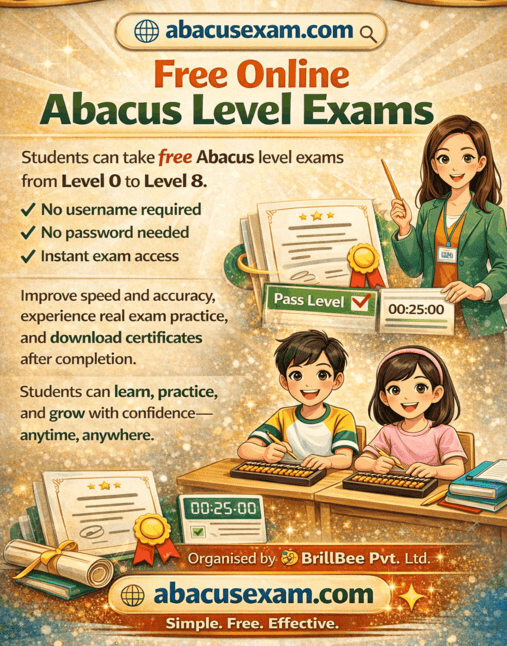
AbacusExam Virtual Abacus
Best For: Students preparing for AbacusExam certification tests
- Browser-based – no installation needed
- Works on Chrome, Firefox, Safari, Edge
- Full-screen mode for distraction-free practice
- Integrated with AbacusExam learning modules
- Save progress to cloud account
- Keyboard shortcuts for advanced users
Try Now: abacusexam.com/virtual-abacus
WebAbacus.io
Best For: Teachers conducting online abacus classes
- Shareable practice links for students
- Classroom mode with teacher dashboard
- Generate custom problem sets
- Export results as PDF/CSV
- Responsive design – works on tablets & desktops
Abacus Simulator by MathTools.org
Best For: Quick practice without account creation
- No registration required
- Multiple abacus types in one interface
- Built-in calculator for answer verification
- Printable practice sheets generator
- Open-source – code available on GitHub
📊 Feature Comparison Table
| App Name | Platform | Price | Best For | Offline Mode |
|---|---|---|---|---|
| Soroban Abacus | iOS | Free + IAP | Beginners | ✅ Yes |
| Abacus Master Pro | iOS | $4.99 | Exam Prep | ✅ Yes |
| Virtual Abacus | Android | Free | Quick Practice | ✅ Yes |
| Abacus Math: Brain Training | Android | Freemium | Competitive | ❌ No |
| AbacusExam Virtual | Web | Free | Certification | ❌ No |
| WebAbacus.io | Web | Free | Teachers | ❌ No |
🎯 How to Choose the Right Digital Abacus App
Consider These Factors:
- Learning Goals: Casual practice vs. exam preparation vs. brain training
- Device Compatibility: Ensure the app supports your iOS/Android version or browser
- Budget: Free apps work well for beginners; premium apps offer structured curriculum
- Age Appropriateness: Kids need gamified interfaces; adults prefer minimalist design
- Abacus Type: Choose based on your learning tradition (Japanese Soroban vs. Chinese Suanpan)
- Offline Access: Important if you have limited internet connectivity
🎓 Try Our Free Virtual Abacus Simulator
Practice anytime, anywhere with AbacusExam’s browser-based digital abacus – no download required!
Launch Virtual Abacus →✅ Free forever • ✅ No registration • ✅ Works on all devices
❓ Frequently Asked Questions
Q: Are digital abacus apps as effective as physical abacuses?
A: Yes, research shows digital simulators are equally effective for learning, especially when they provide haptic feedback and realistic bead physics. They offer added benefits like instant feedback and progress tracking [[1]].
Q: Can I use web-based abacus simulators on my tablet?
A: Absolutely! Modern web-based simulators are responsive and work perfectly on iPads, Android tablets, and even smartphones with touch-optimized interfaces.
Q: Do I need to pay for abacus apps?
A: Many excellent free options exist. Paid apps typically offer structured curriculum, certification prep, and ad-free experiences. Start free, upgrade if needed.
Q: Which is better – iOS or Android abacus apps?
A: Both platforms offer quality apps. iOS apps often have more polished interfaces, while Android provides more free options and customization. Choose based on your device.
Q: Can teachers use these apps for online classes?
A: Yes! Apps like WebAbacus.io and AbacusExam Virtual offer classroom modes, progress tracking, and assignment features specifically designed for educators.
• Best Abacus Education Programs for Kids Aged 4-12
• Abacus vs Mental Math: What’s the Difference?
• Free Abacus Practice Tools & Worksheets
• AbacusExam Certification Levels Explained
🌟 Final Thoughts
Digital abacus simulator apps have made mental math practice more accessible than ever. Whether you prefer the convenience of a mobile app on iOS or Android, or the flexibility of a web-based simulator, there’s a perfect tool waiting for you.
Remember: consistency matters more than the platform. Choose an app that fits your learning style, practice regularly (even 10-15 minutes daily), and watch your mental math skills soar!
Ready to start? Try our free virtual abacus today and join thousands of students mastering mental math digitally. ✨